

Option 1: Manual RDP Connection
1
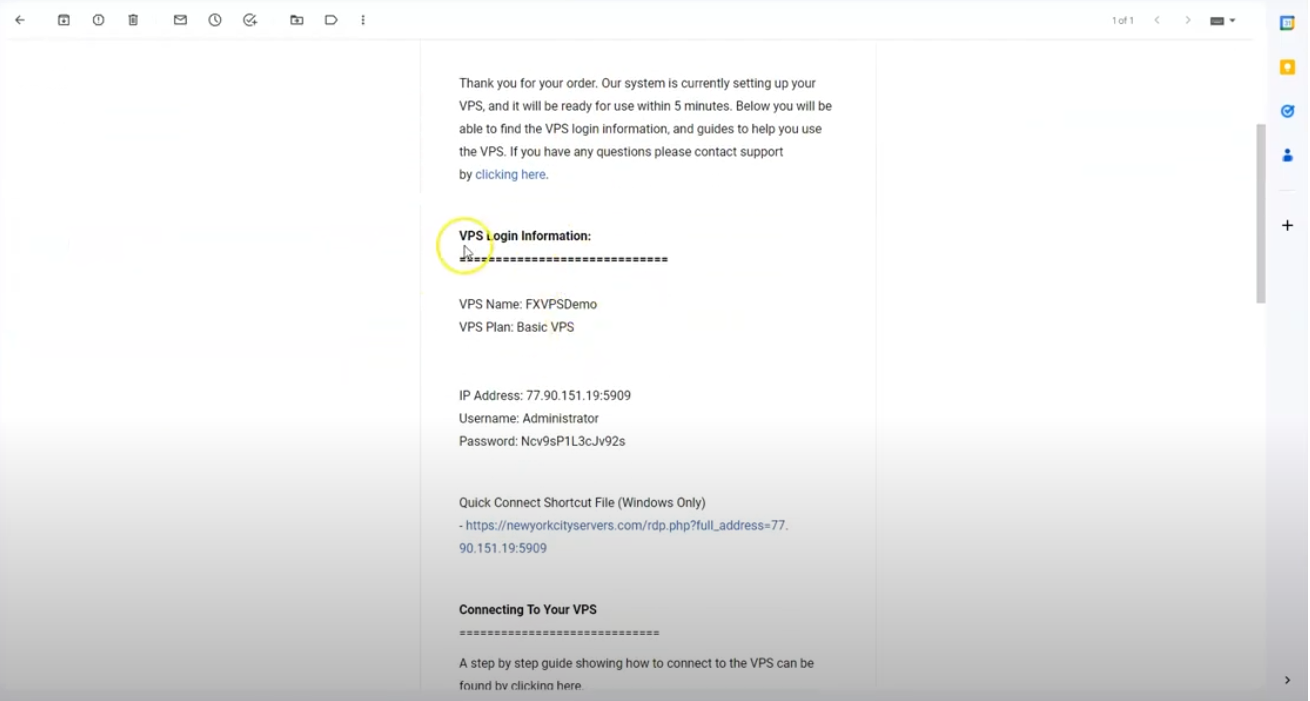
Receive VPS Credentials
2
Open Remote Desktop Connection
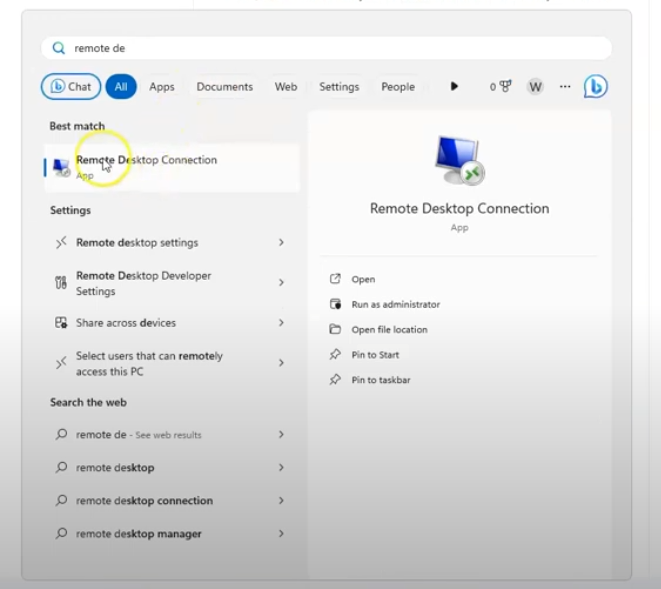
Remote Desktop Connection, and launch the app.3
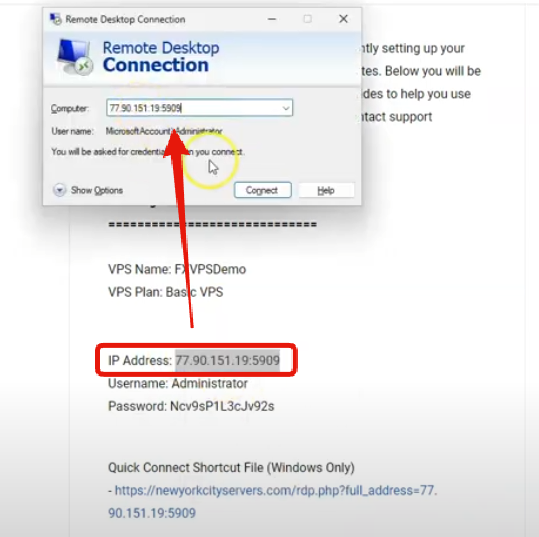
Enter VPS IP Address
4
Enter User Credentials
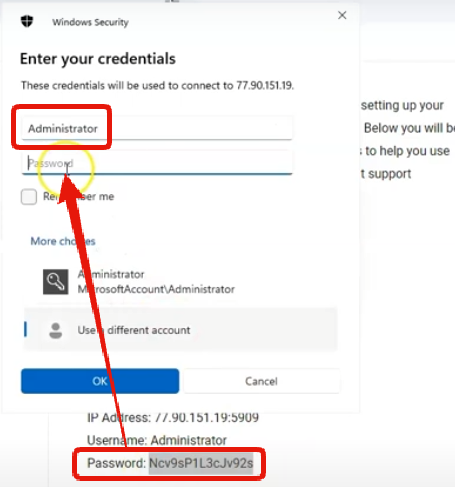
- Username:
Administrator - Password: (copy exactly as provided)
5
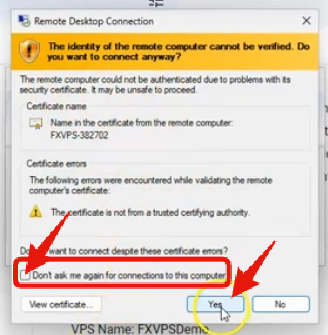
Handle Certificate Warning
6
Connect and Access Desktop
Your connection will begin — the VPS desktop will appear in the Remote Desktop window.
Option 2: Quick Connect with .RDP File
Download the pre-configured .RDP file from your welcome email. It auto-fills the IP and username.
1
Download the .RDP File
In your VPS welcome email, click the “Download .RDP File” link.
2
Open the File
Locate the downloaded file (usually in Downloads) and double-click it.
3
Enter Password
When prompted, enter your VPS password from the email and click OK.
4
Handle Certificate Warning
If a certificate warning appears, check “Don’t ask me again for connections to this computer”, then click Yes.
5
Connect and Access Desktop
Your connection will begin — the VPS desktop will appear in the Remote Desktop window.