> ## Documentation Index
> Fetch the complete documentation index at: https://knowledgebase.newyorkcityservers.com/llms.txt
> Use this file to discover all available pages before exploring further.
# Clear RDP Firewall Blocks
> Remove RDP Firewall Blocks On Your VPS
The firewall on each VPS is set up to protect your service against brute-force attacks. When the wrong RDP login credentials are entered numerous times, the firewall blocks the connection to ensure that your VPS remains secure.
If you accidentally entered the wrong login credentials and your connection was blocked, follow this guide to remove the block and restore your access.
## Where To Find Clear RDP Firewall Blocks
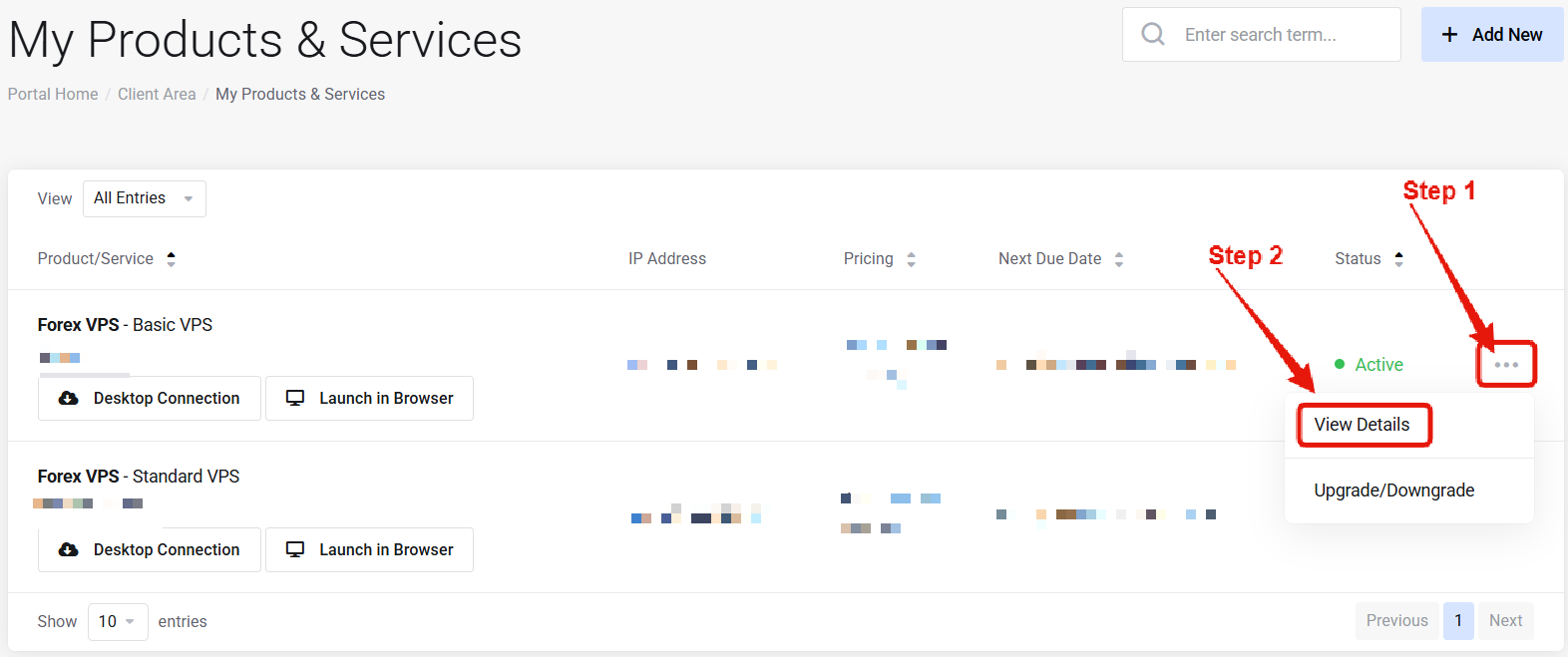 Visit the ["My Products & Services" page](https://newyorkcityservers.com/billing/clientarea.php), and find the specific service that you wish to manage. Click on the three dots to the right side, and then click "View Details".
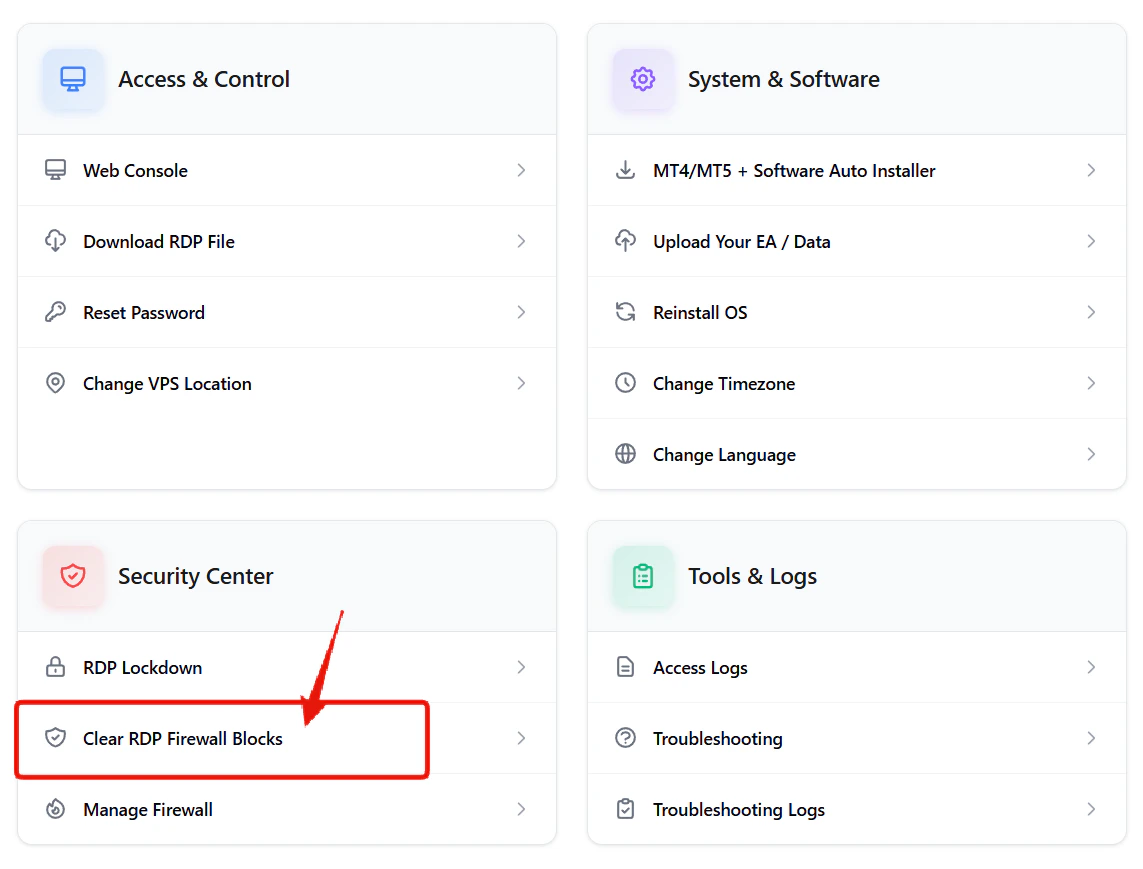 Scroll down the page until you locate the "Security Center" section. Look for the **"Clear RDP Firewall Blocks"** link.
***
## How to Remove RDP Blocks
Click the **"Clear RDP Blocks"** button. All blocked connections will be removed, and you will then be able to access the service.
***
## Common Questions
Your IP was blocked because incorrect login credentials were entered multiple times. The security firewall automatically blocks connections to protect your VPS from unauthorized access.
No — changes apply instantly.
Scroll down the page until you locate the "Security Center" section. Look for the **"Clear RDP Firewall Blocks"** link.
***
## How to Remove RDP Blocks
Click the **"Clear RDP Blocks"** button. All blocked connections will be removed, and you will then be able to access the service.
***
## Common Questions
Your IP was blocked because incorrect login credentials were entered multiple times. The security firewall automatically blocks connections to protect your VPS from unauthorized access.
No — changes apply instantly.