> ## Documentation Index
> Fetch the complete documentation index at: https://knowledgebase.newyorkcityservers.com/llms.txt
> Use this file to discover all available pages before exploring further.
# Software Auto-Installer
> Install software automatically on your VPS
The VPS control panel offers the ability to auto-install popular software like MT4/MT5 on your VPS with one click.
## Where To Find Software Auto-Installer
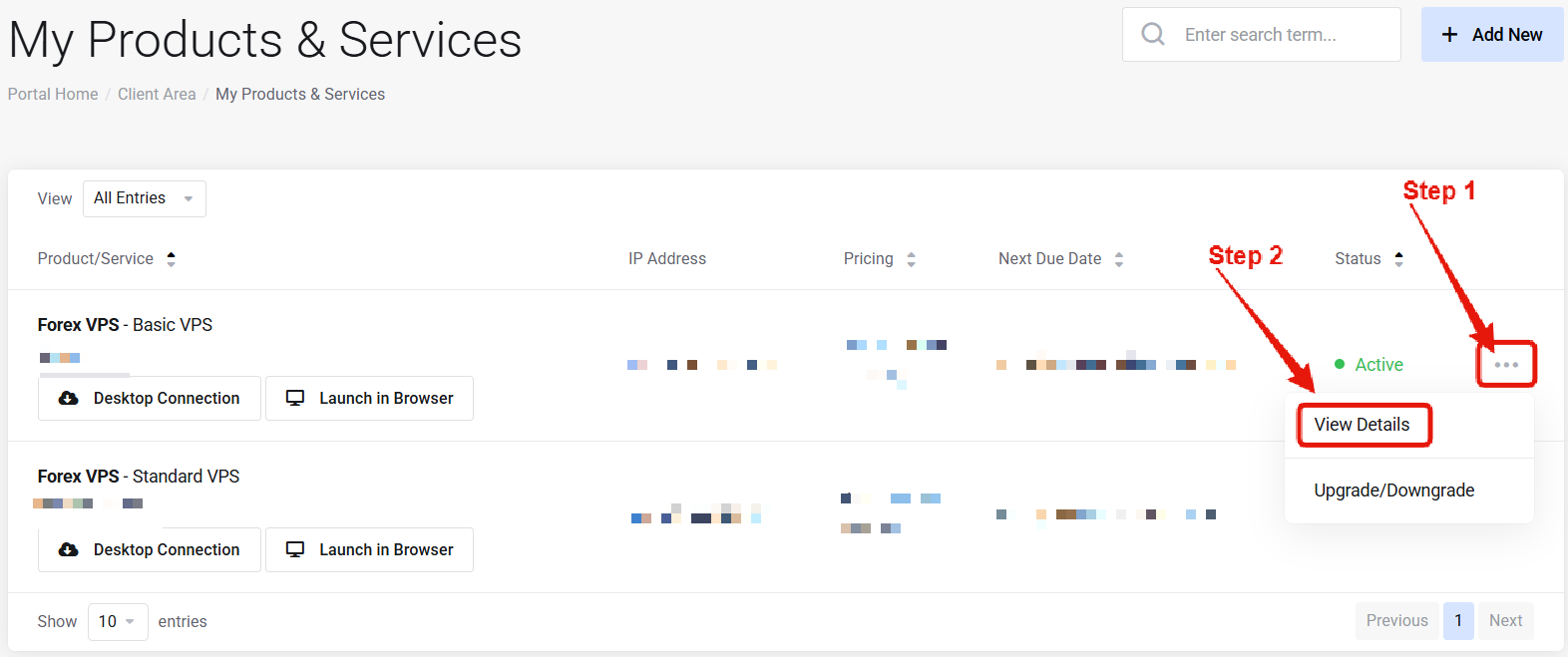 Visit the ["My Products & Services" page](https://newyorkcityservers.com/billing/clientarea.php), and find the specific service that you wish to manage. Click on the three dots to the right side, and then click "View Details".
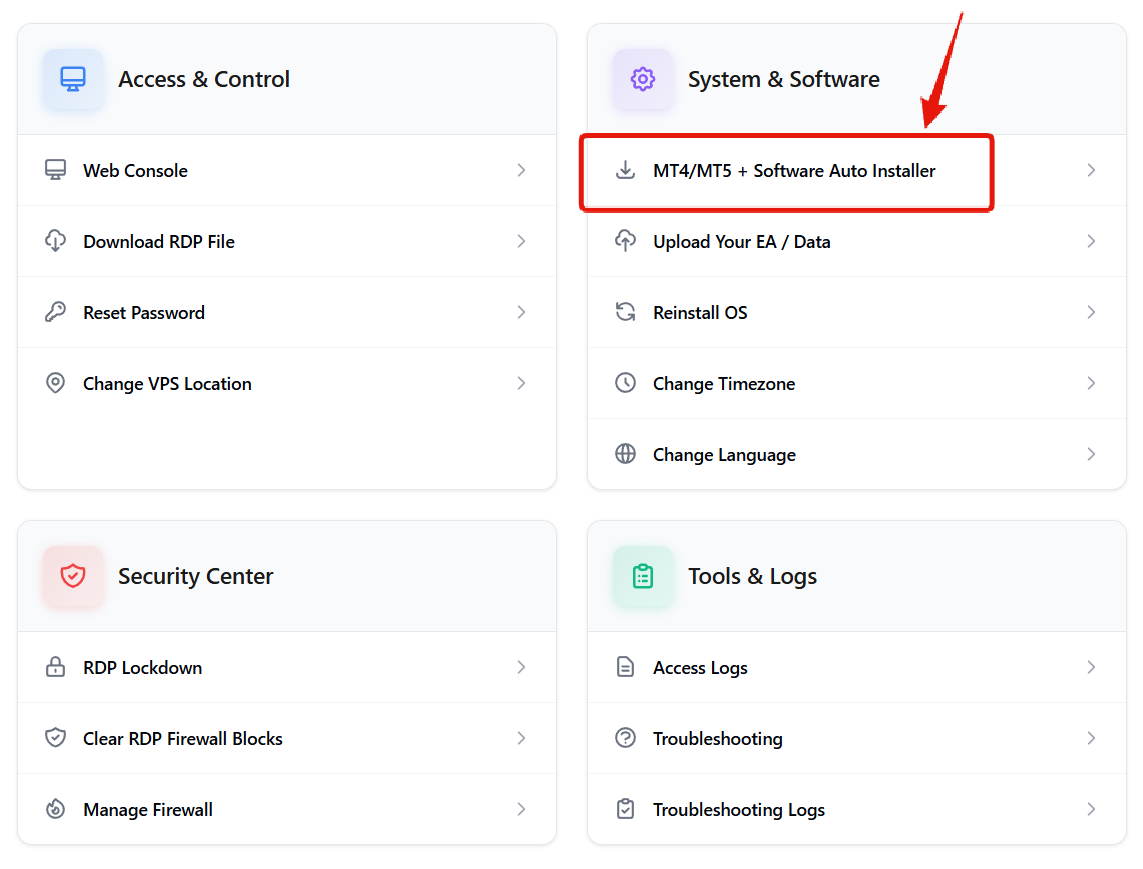 Scroll down the page until you locate the "VPS Control Panel" section. Look for the Software Auto-Installer link under "System and Software".
***
## How to Use Software Auto-Installer
Scroll down the page until you locate the "VPS Control Panel" section. Look for the Software Auto-Installer link under "System and Software".
***
## How to Use Software Auto-Installer
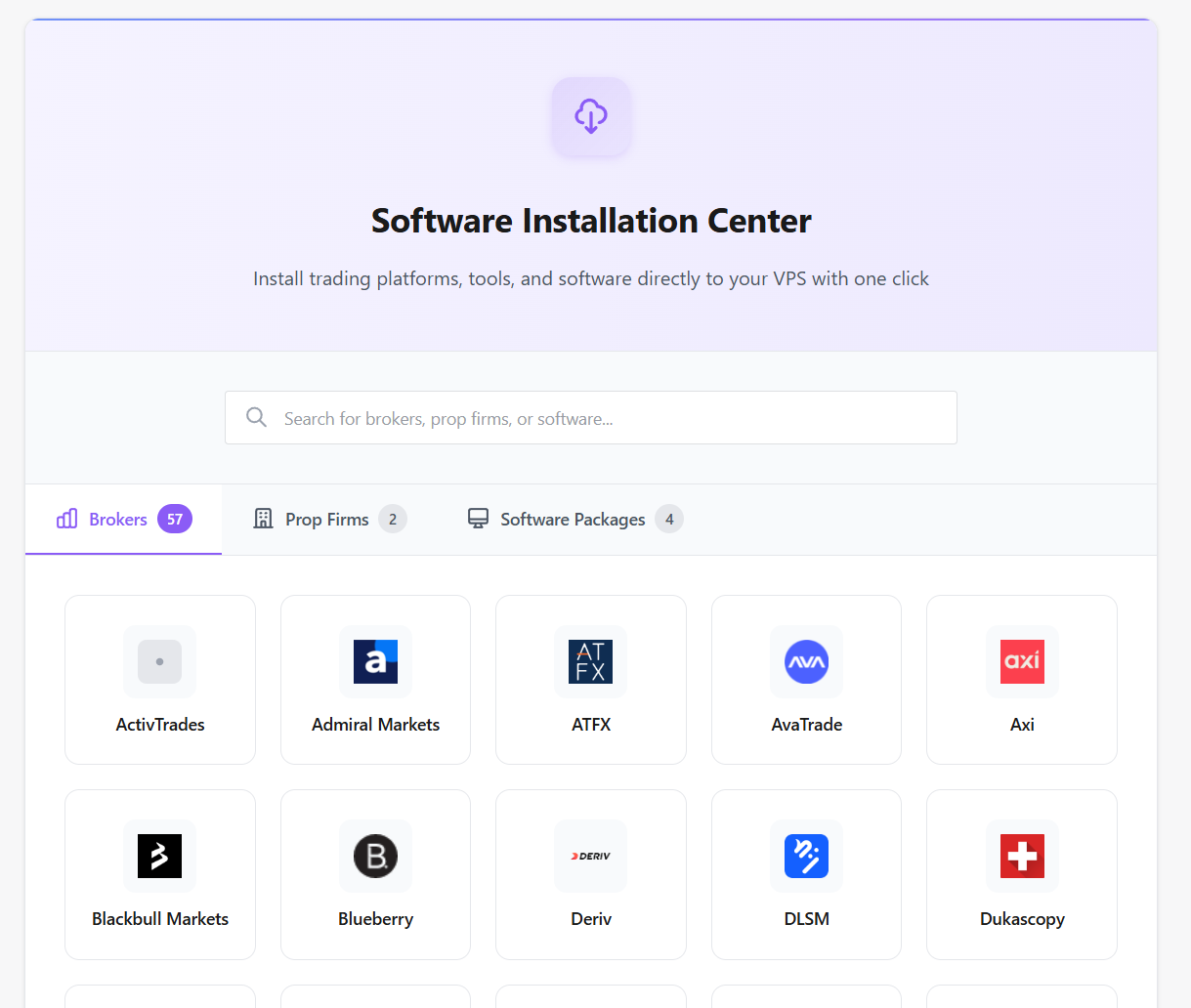 Navigate to the broker or software that you wish to install and click on it.
In the new window that appears, confirm the number of installations needed and agree to the terms.
After clicking the install button, wait a couple minutes for the installation to complete. You will see the new software shortcuts appear on the VPS desktop in real time.
Don't see the software you need? [Contact us](mailto:support@newyorkcityservers.com) and we'll be happy to install it for you.
***
## Common Questions
More than 100 brokers and software packages are available.
No — it adds software without wiping your VPS.
The installation process usually takes a few minutes at most, depending on the software. The process is fully automated and will complete on its own.
Navigate to the broker or software that you wish to install and click on it.
In the new window that appears, confirm the number of installations needed and agree to the terms.
After clicking the install button, wait a couple minutes for the installation to complete. You will see the new software shortcuts appear on the VPS desktop in real time.
Don't see the software you need? [Contact us](mailto:support@newyorkcityservers.com) and we'll be happy to install it for you.
***
## Common Questions
More than 100 brokers and software packages are available.
No — it adds software without wiping your VPS.
The installation process usually takes a few minutes at most, depending on the software. The process is fully automated and will complete on its own.