> ## Documentation Index
> Fetch the complete documentation index at: https://knowledgebase.newyorkcityservers.com/llms.txt
> Use this file to discover all available pages before exploring further.
# Change Timezone
> Change the timezone for your VPS
Easily adjust the Windows timezone for your VPS from the client area.
## Where To Find Change Timezone
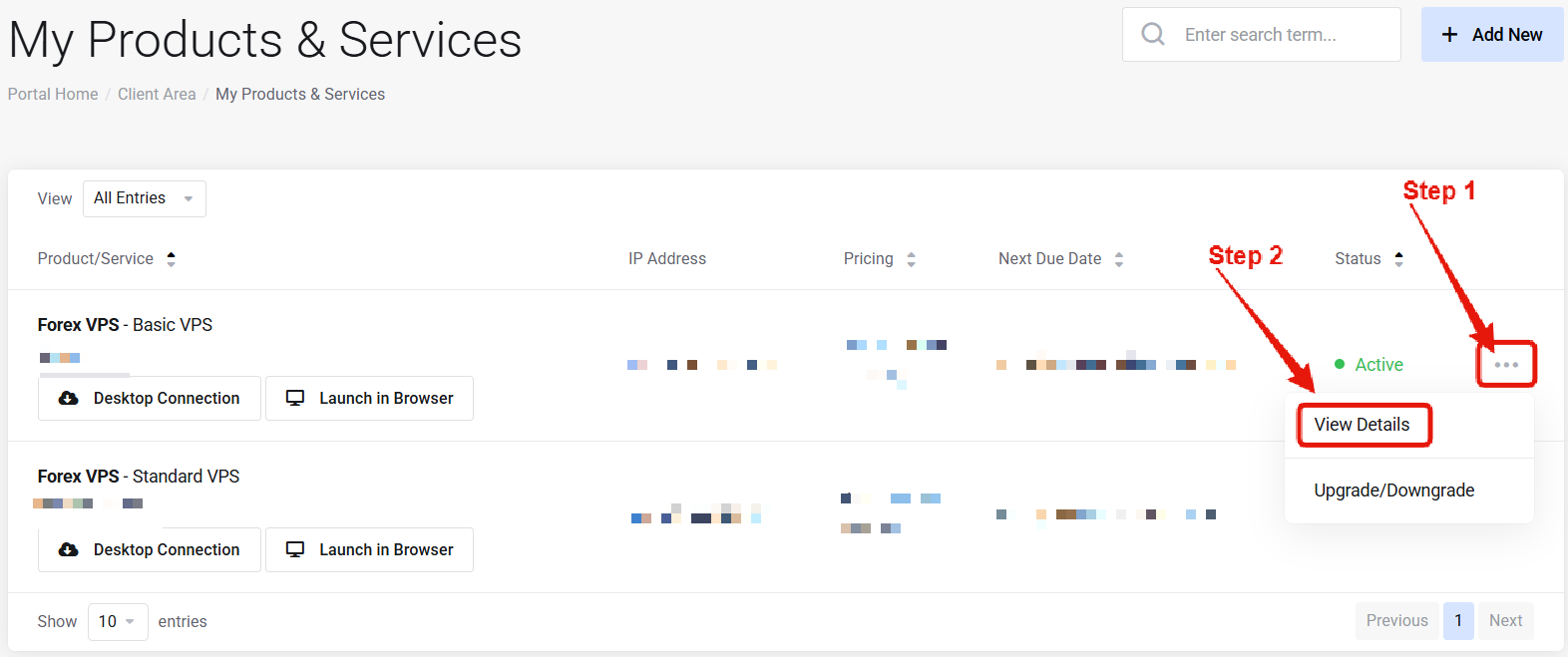 Visit the ["My Products & Services" page](https://newyorkcityservers.com/billing/clientarea.php), and find the specific service that you wish to manage. Click on the three dots to the right side, and then click "View Details".
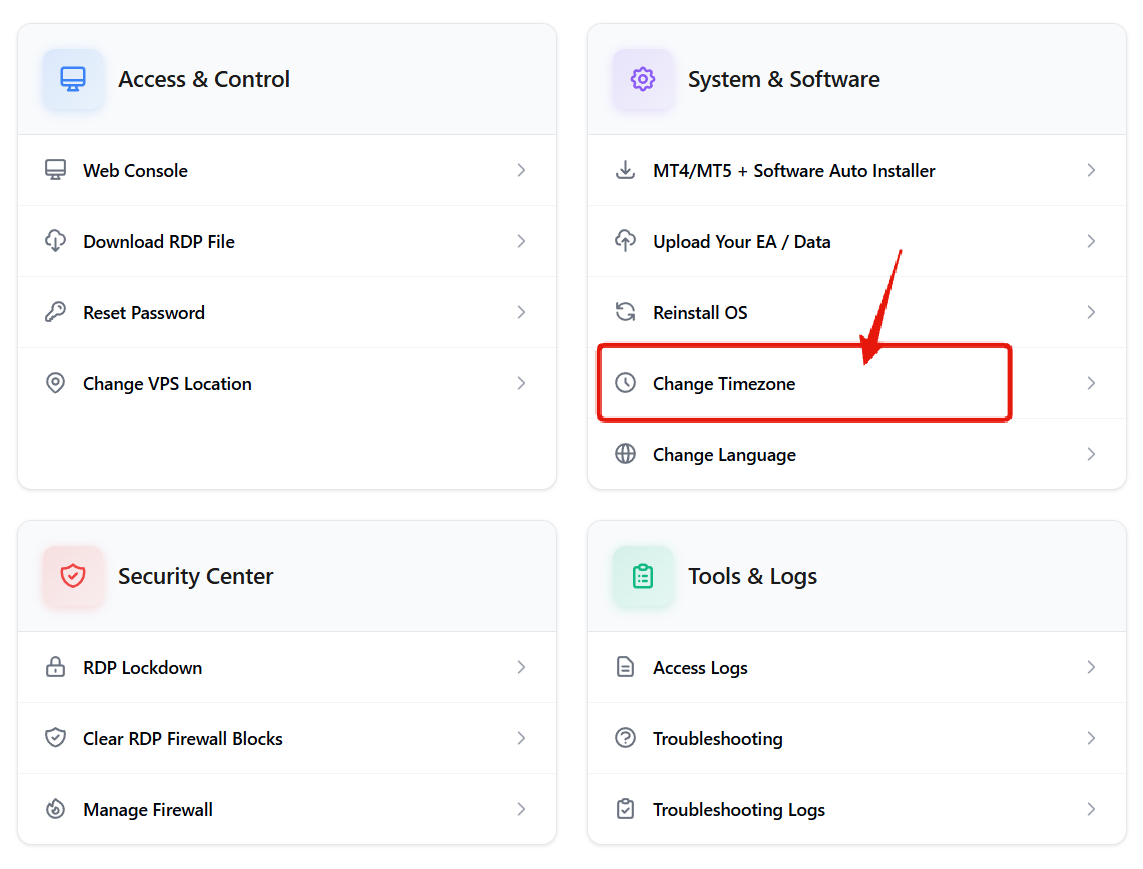 Scroll down the page until you locate the "VPS Control Panel" section. Look for the Change Timezone option under "System and Software".
***
## How to Change Timezone on Your VPS
Scroll down the page until you locate the "VPS Control Panel" section. Look for the Change Timezone option under "System and Software".
***
## How to Change Timezone on Your VPS
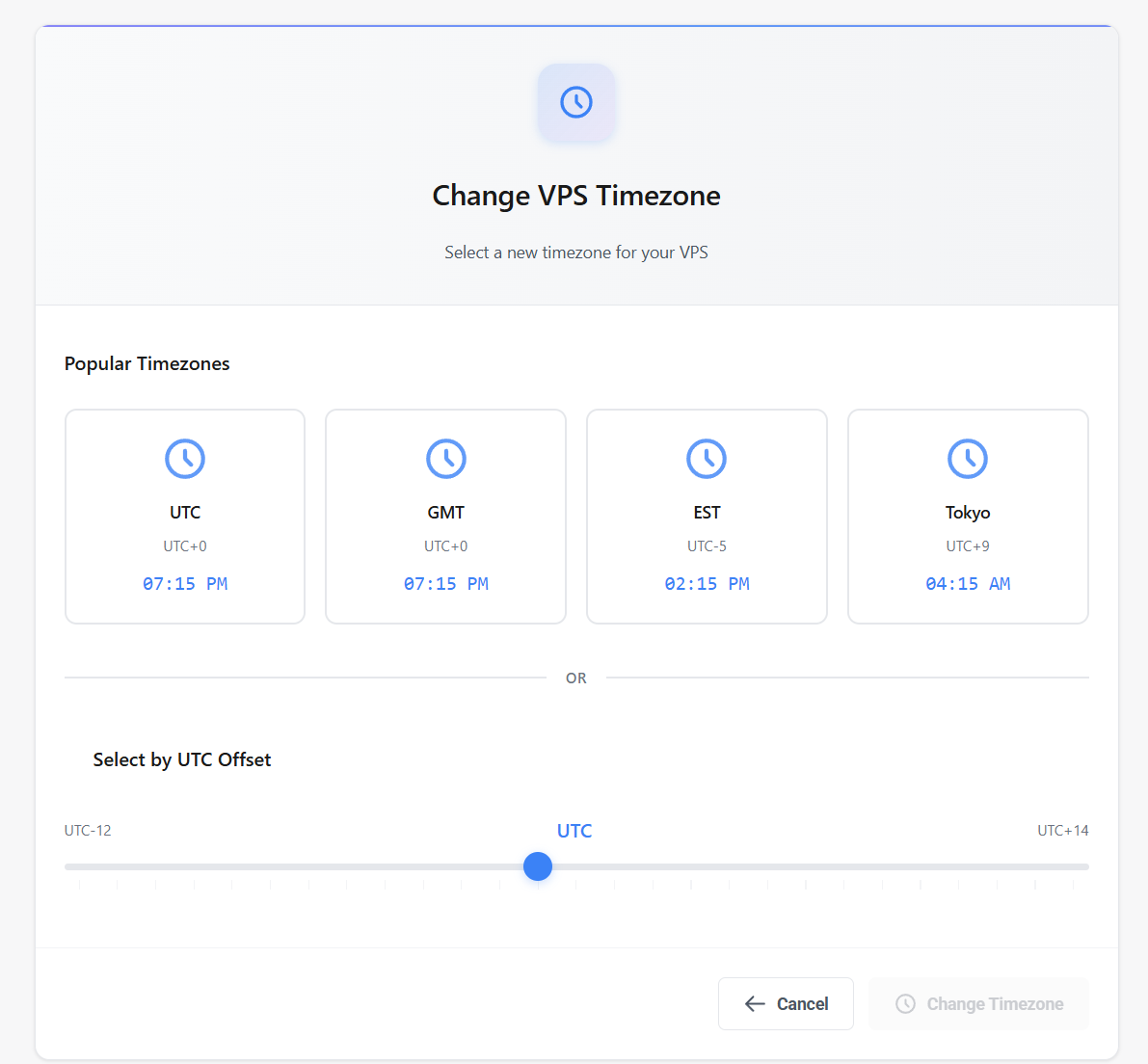 On the change timezone page, simply select the new timezone that you wish to use and click **"Change Timezone"**. The new timezone will take effect on the VPS immediately.
***
## Common Questions
No — the timezone is changed immediately without a reboot.
The Windows system clock will update, but most trading platforms use their broker's server time independently of the Windows timezone.
On the change timezone page, simply select the new timezone that you wish to use and click **"Change Timezone"**. The new timezone will take effect on the VPS immediately.
***
## Common Questions
No — the timezone is changed immediately without a reboot.
The Windows system clock will update, but most trading platforms use their broker's server time independently of the Windows timezone.