> ## Documentation Index
> Fetch the complete documentation index at: https://knowledgebase.newyorkcityservers.com/llms.txt
> Use this file to discover all available pages before exploring further.
# Access Logs
> View RDP access logs for your VPS
Review the remote desktop access logs for your VPS right from the client area.
## Where To Find Access Logs
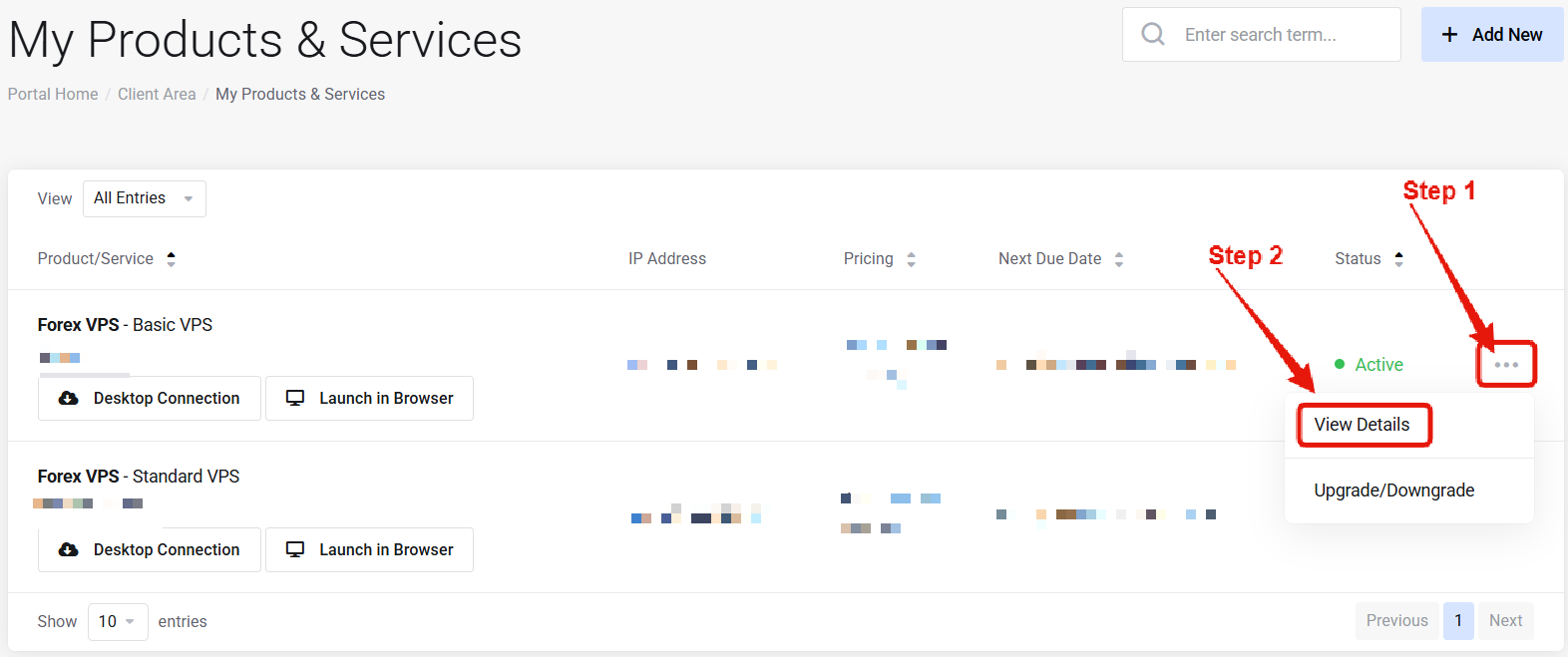 Visit the ["My Products & Services" page](https://newyorkcityservers.com/billing/clientarea.php), and find the specific service that you wish to manage. Click on the three dots to the right side, and then click "View Details".
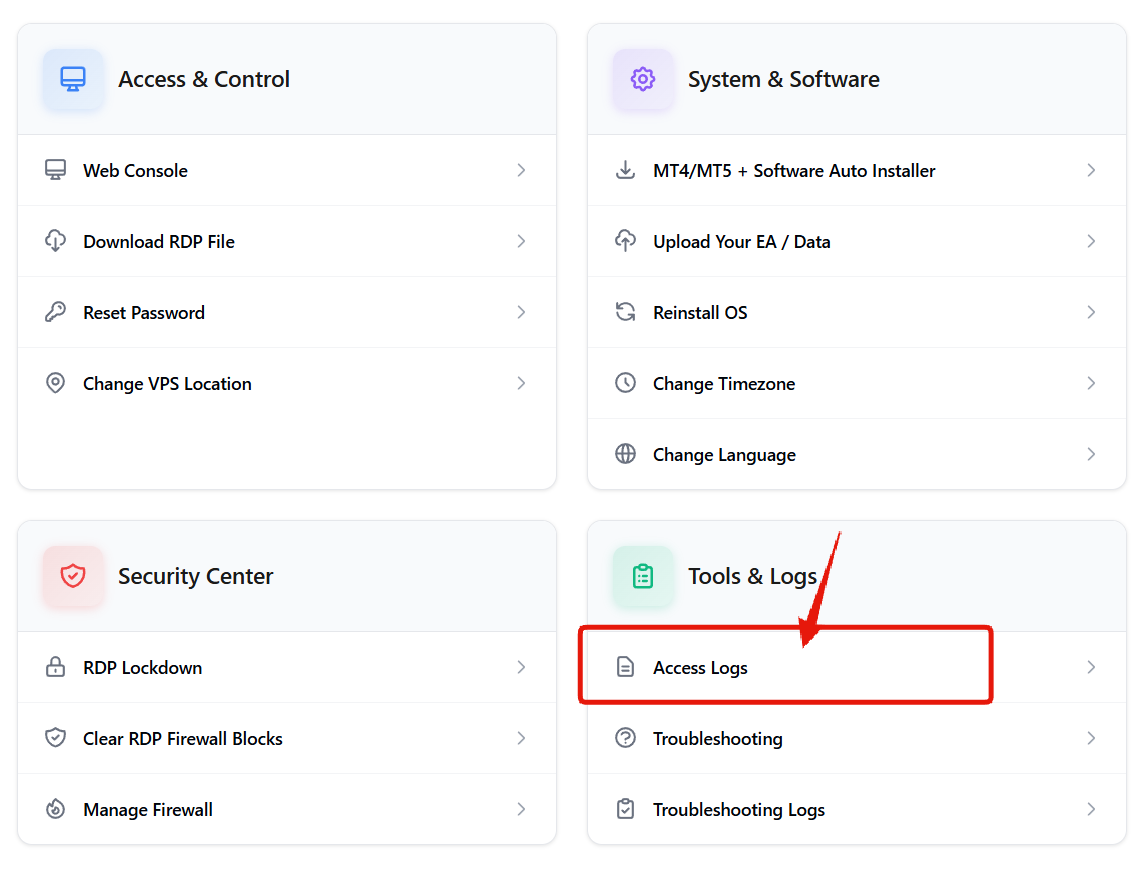 Scroll down the page until you locate the "VPS Control Panel" section. Look for the Access Logs option.
***
## How to View Access Logs
Scroll down the page until you locate the "VPS Control Panel" section. Look for the Access Logs option.
***
## How to View Access Logs
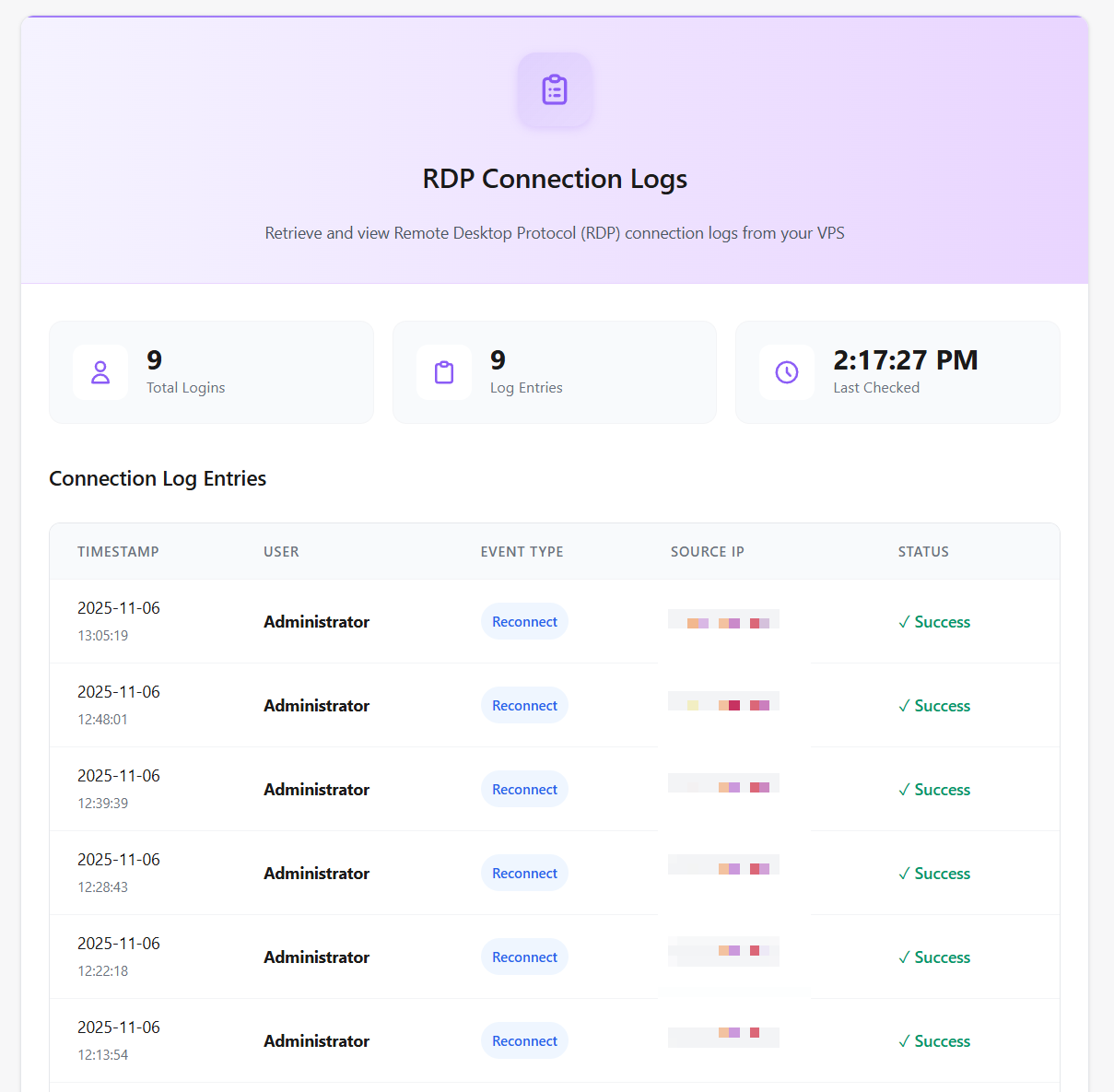 Click the **"Fetch RDP logs"** button. After a few seconds a table will display showing a complete history of successful RDP logins for your VPS. The logs include a timestamp, username, and IP address from each connection.
Regularly reviewing your access logs helps you monitor for unauthorized access attempts.
***
## Common Questions
Contact [support](mailto:support@newyorkcityservers.com) immediately and enable [RDP Lockdown](/management/vps-security/rdp-lockdown) for protection.
Access logs retain a complete history of all successful RDP logins for your VPS.
Click the **"Fetch RDP logs"** button. After a few seconds a table will display showing a complete history of successful RDP logins for your VPS. The logs include a timestamp, username, and IP address from each connection.
Regularly reviewing your access logs helps you monitor for unauthorized access attempts.
***
## Common Questions
Contact [support](mailto:support@newyorkcityservers.com) immediately and enable [RDP Lockdown](/management/vps-security/rdp-lockdown) for protection.
Access logs retain a complete history of all successful RDP logins for your VPS.