> ## Documentation Index
> Fetch the complete documentation index at: https://knowledgebase.newyorkcityservers.com/llms.txt
> Use this file to discover all available pages before exploring further.
# Service Cancellation
> If you need to cancel your service, we make it straightforward via the client portal.
Cancellations are submitted directly inside of the client portal on the service management page.
## How to Cancel Your Service
Inside of the client portal, access the [Service Overview Page](https://newyorkcityservers.com/billing/clientarea.php?action=products) to see a list of your services.
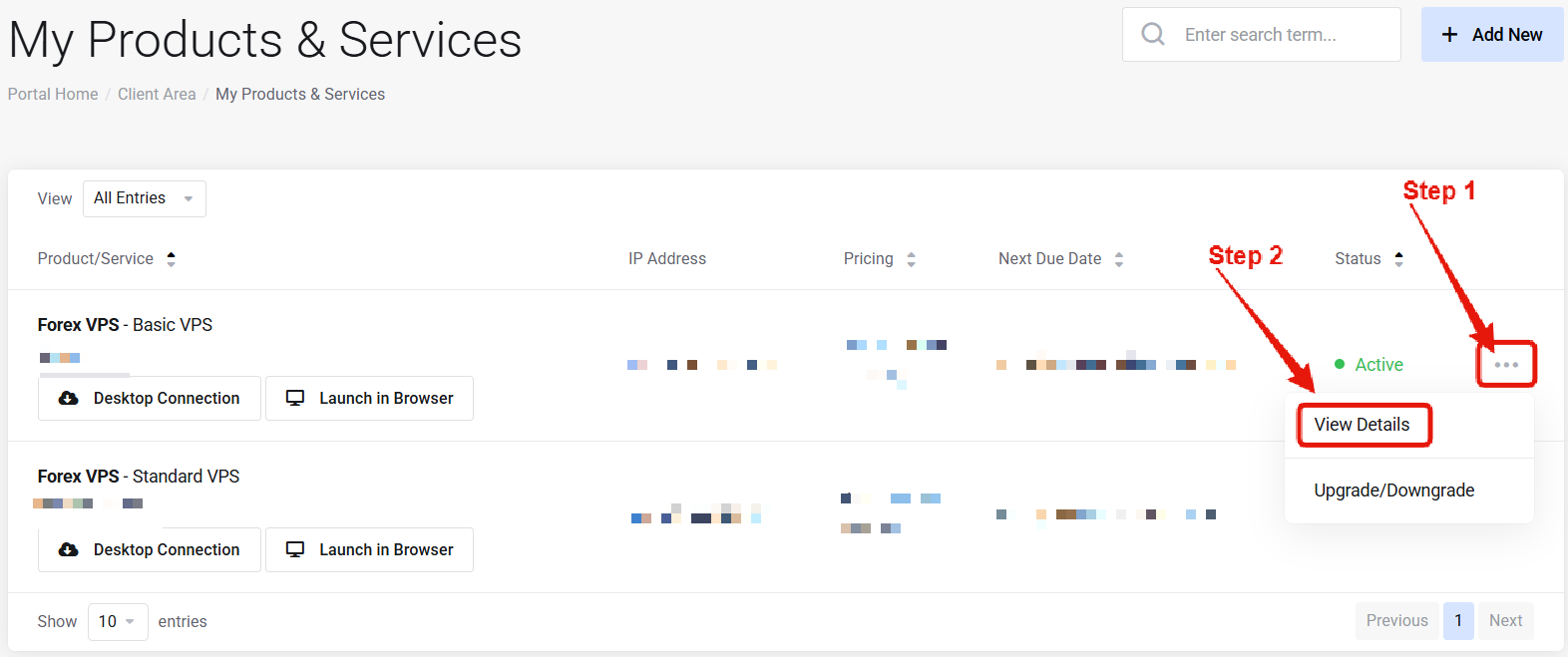 Click on the service that you wish to cancel to open its management page.
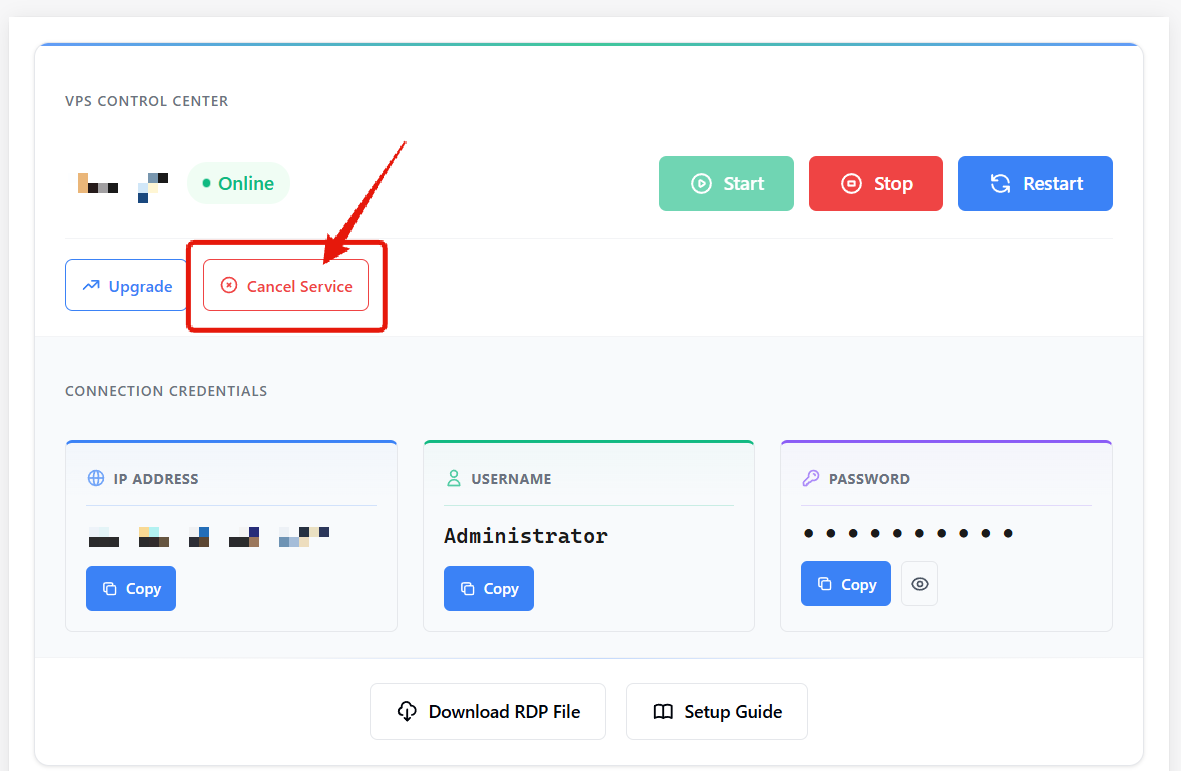 On the server management page, locate and click on the cancel service button.
Complete the cancellation form, and click "Request Cancellation".
All cancellations are completed at the end of the current billing cycle. Your service will remain online and usable until then.
***
## Cancellation Policies
* **Automatic Renewal**: All services renew automatically at the end of the billing cycle, unless a cancellation request has been submitted using the steps above.
* **Timing**: Cancellations must be submitted before the invoice due date to stop charges.
* **Cancellation Period**: After submitting a cancellation, the service remains active and usable until the end of the current billing cycle.
**Data Deletion**: Once a service has been cancelled and the billing cycle ends, all data related to that service is permanently deleted. It is not possible to recover or restore access to a cancelled service.
On the server management page, locate and click on the cancel service button.
Complete the cancellation form, and click "Request Cancellation".
All cancellations are completed at the end of the current billing cycle. Your service will remain online and usable until then.
***
## Cancellation Policies
* **Automatic Renewal**: All services renew automatically at the end of the billing cycle, unless a cancellation request has been submitted using the steps above.
* **Timing**: Cancellations must be submitted before the invoice due date to stop charges.
* **Cancellation Period**: After submitting a cancellation, the service remains active and usable until the end of the current billing cycle.
**Data Deletion**: Once a service has been cancelled and the billing cycle ends, all data related to that service is permanently deleted. It is not possible to recover or restore access to a cancelled service.